
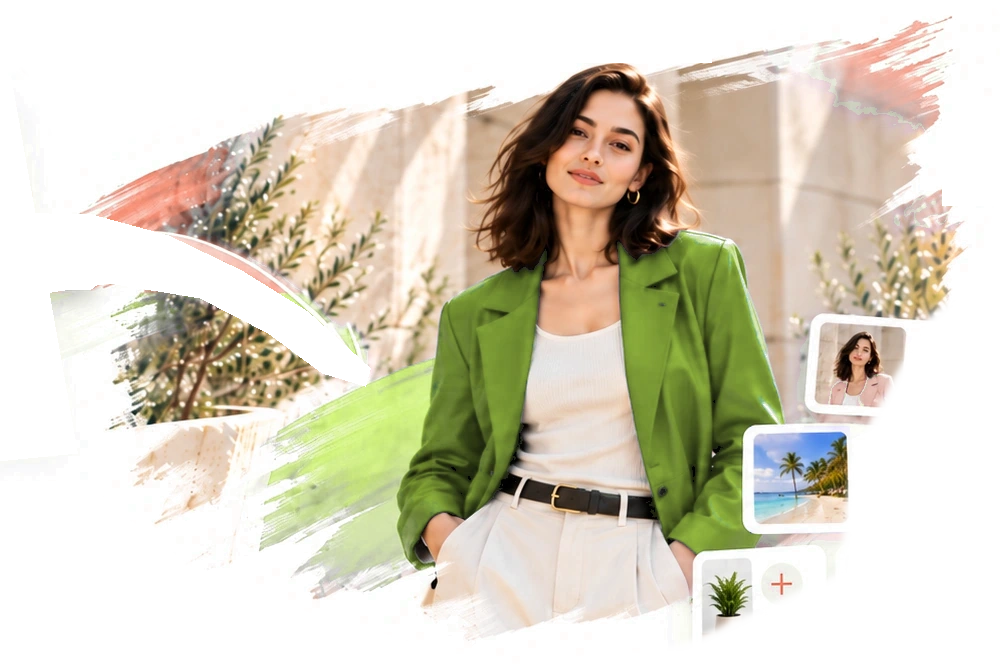
Create and edit images with prompts

Turn Your Ideas
Into Amazing Images

Create stunning AI images in seconds. From realistic photos to artistic masterpieces.

Independent third-party studio for ChatGPT Images 2.5

Create and editimageswith prompts

Create and edit with ChatGPT Images 2.5 in one workspace. Sketch ideas, pin edits, and blend up to 16 reference photos. Keep every version. Edits remain reversible.

View Pricing

ChatGPT Images 2.5 Free trialFree credits on sign-upNo credit card required

MADE FOR MORE THAN GENERATION

Everything ChatGPT Images 2.5 can do,
in one studio.

Six capabilities that make ChatGPT Images 2.5 easier to direct — wired into a canvas built for iteration.

THE FIRST IDEA
THE NEXT POSSIBILITY
↗
01 /

Sketch to Image

The model reads the geometry, perspective and proportions of your drawing, then renders a finished image that follows it. Composition and framing become things you show, not describe — a stick figure on a rooftop really can become a movie still.
1
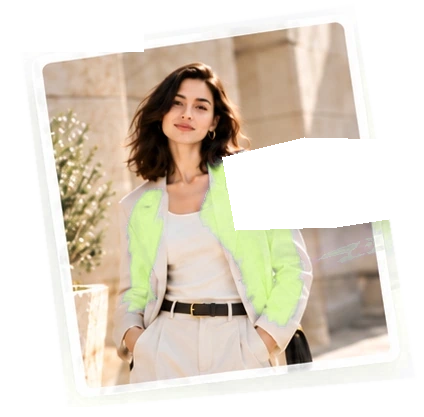
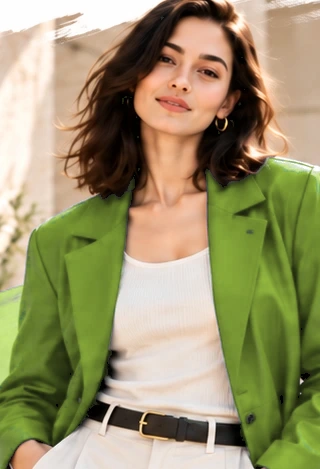
Make the jacket olive green
02 /

Point-and-Edit Annotations

Click anywhere on a generated image, drop a numbered pin, and write what should change: "make this sign read OPEN", "remove the headphones". The edit focuses on marked regions and aims to preserve the surrounding composition, lighting, and details as closely as the model allows — several pins are handled in one pass.

v.01
v.02
v.03
03 /

Multi-Turn Consistency

The old pain of AI editing — ask for a small change, get a different person — is gone. Faces, outfits, product geometry and logos stay anchored across rounds, so version two is version one plus your edit, nothing more.

+13
04 /

Up to 16 Reference Images

Blend people, products and places from separate photos into one coherent scene. Two award winners from different cities become a believable joint celebration; a phone snapshot becomes a studio-lit hero image, identity intact.

FlareSunburst
05 /

Two Purpose-Built Models

ChatGPT Images 2.5 ships as Flare and Sunburst. Flare answers in 5–10 seconds for drafts and batches; Sunburst thinks for 25–45 seconds and delivers print-grade detail. Switch per generation — same workspace, same credits.

AaMake it
read beautifully.
06 /

Text That Actually Reads

Posters, covers and infographics come out with legible headlines instead of alphabet soup. Spelling accuracy is dramatically improved, so flyers and product cards arrive ready to use — though dense copy still deserves a proofread.

FOLLOW YOUR INSTINCT

Say it, sketch it,
or point at it.

Three ways to tell the model what you want. Use whichever fits the thought — they share one canvas.

Enter the Studio
A little direction makes all the difference.
Make the jacket olive green
Illustrative editing workflow

ONE STUDIO. TWO WAYS TO CREATE.

Flare and Sunburst:
speed or precision, your call

ChatGPT Images 2.5 splits its API into two models on one pricing table. ZingPix routes each request to the right one — fast drafts on Flare, meticulous finals on Sunburst — and shows the exact credit cost before you click generate.

Everyday speed

Flare

gpt-image-2.5-flare

About 50% lower latency than the previous generation. Ideal for social posts, e-commerce batches and any workflow where you iterate quickly.

Create with Flare

Editing precision

Sunburst

gpt-image-2.5-sunburst

Deeper multi-step reasoning for complex compositions, layered typography and micro-texture — for 4K ads, print posters and fine multi-region edits.

Create with Sunburst
One clear credit price for each resolutionSame fixed price for both models. No reference-image surcharge.
1K
1 credit
2K
4 credits
4K
6 credits

YOUR IDEAS, IN GOOD COMPANY

What people make with
ChatGPT Images 2.5

Real workflows, verified in hands-on reviews — not demo-day cherry picks.

01

E-commerce Visuals

A phone snapshot becomes a polished product poster, then a full detail-page set: selling points, close-ups, scenes, spec cards — minutes, not half a day.

02

Covers & Thumbnails

Article covers and thumbnails with your own photo, edited round after round — move right, clear space for the title — while aiming to preserve your appearance.

03

Photo Restoration

Decades-old family photos repaired in one pass: creases and stains removed, detail rebuilt, natural color added — while Grandpa still looks like Grandpa.

04

Group Photos That Never Happened

Two people, two cities, one trophy each — blended into a single believable celebration shot with matched lighting, perspective and proportions.

05

Storyboards to Keyframes

Sketch a shot — subject right, city left, billboard far — and get a cinematic keyframe for your video model. Script to storyboard to keyframe, no prompt gymnastics.

06

Logos & Brand Kits

Answer a few questions, get logo directions, then see them on tote bags, mugs, T-shirts and stickers. Mockup hunting is officially over.

Illustrative layout previews, not verified model outputs.

Explore the Prompt Gallery

ZingPix Plans & Image Credits

Compare Basic, Standard, and Ultimate plans for ChatGPT Images 2.5 Free. Sign up for credits and unlock one 24-hour free-generation window on Ultimate after the first qualifying purchase.

ZingPix is an independent AI image service operated by Miramo LLC. It is not operated, endorsed, or sponsored by OpenAI. Terms of Service

Basic

Save 30% · Limited Time

Build a weekly creative habit

$6.93/mo

$9.90/mo

$83.16/yr

$118.80/yr

Image capacity

2400 credits upfront

2400

1K images / yr

600

2K images / yr

—

4K images / yr

Up to estimate · one image per generation · no reference-image surcharge

Creation toolkit

  • Both Flare and Sunburst models
  • Full generation history
  • Automatic refunds on failures
  • Up to 16 reference images
  • Commercial use allowed on all plans

Speed & access

  • 2 concurrent generations
  • Up to 2K output
  • Standard generation queue

Standard

Save 30% · Limited Time

Ship polished work every day

$20.93/mo

$29.90/mo

$251.16/yr

$358.80/yr

Image capacity

9600 credits upfront

9600

1K images / yr

2400

2K images / yr

1600

4K images / yr

Up to estimate · one image per generation · no reference-image surcharge

Creation toolkit

  • Both Flare and Sunburst models
  • Full generation history
  • Automatic refunds on failures
  • Up to 16 reference images
  • Commercial use allowed on all plans
  • Priority generation queue

Speed & access

  • 5 concurrent generations
  • Up to 4K output
  • Priority generation queue

Ultimate

Save 30% · Limited Time

Run a premium image pipeline

$55.93/mo

$79.90/mo

$671.16/yr

$958.80/yr

Image capacity

28800 credits upfront

28800

1K images / yr

7200

2K images / yr

4800

4K images / yr

Up to estimate · one image per generation · no reference-image surcharge

Creation toolkit

  • Both Flare and Sunburst models
  • Full generation history
  • Automatic refunds on failures
  • Up to 16 reference images
  • Commercial use allowed on all plans
  • Priority generation queue
  • API access

Speed & access

  • 10 concurrent generations
  • Up to 4K output
  • Priority generation queue

UNLIMITED & FREE GEN

24 hours of free generation after your first qualifying purchase · fair use applies

Free lane: up to 2 active generations · fair-use queue applies

Credit Packs

What a generation costs1K output: 1 credits2K output: 4 credits4K output: 6 credits
Compare plans in detail

Every number below is the live plan configuration. Image counts show the maximum each resolution can produce from the plan credits.

FeatureBasicStandardUltimate
Price, billed yearly$83.16/yr$251.16/yr$671.16/yr
Credits upfront per year2400960028800
Up to 1K images (1 credit each)2400960028800
Up to 2K images (4 credits each)60024007200
Up to 4K images (6 credits each)—16004800
Concurrent generations2510
Max output resolution2K4K4K
Reference images per task161616
Flare and Sunburst models
Priority generation queue
24h free generation after first Ultimate purchase
Commercial use of outputs
API access
Full generation history
Automatic refunds on failures

Maximum estimates use one image per generation and the fixed credit price for each resolution. Reference images do not add a credit surcharge.

GOOD QUESTIONS. CLEAR ANSWERS.

Frequently
asked questions.

Everything you'd want to know before your first render.

Still have a question?

What is ChatGPT Images 2.5?

ChatGPT Images 2.5 is an image model family released by OpenAI in September 2026. ZingPix is an independent third-party service providing access to the model family; it is not an official OpenAI product or website.

Is ZingPix an official OpenAI service?

No. ZingPix is an independent third-party service and is not affiliated with, endorsed by, or sponsored by OpenAI. It provides access to the ChatGPT Images 2.5 service. OpenAI, ChatGPT, and related marks belong to OpenAI.

How does sketch-to-image work?

Draw anything on our canvas — stick figures are honestly enough. We send the sketch with your written direction, and the model interprets its geometry and spatial relationships to produce a finished render with no hand-drawn lines left.

What is point-and-edit annotation?

Drop numbered pins on the image and write one instruction per pin. The model uses them to focus the edit on selected regions and aims to preserve surrounding faces, lighting and composition. Review the result for unintended changes.

Flare or Sunburst — which should I use?

Use Flare for drafts, batches and everyday content — it returns in 5–10 seconds. Use Sunburst when precision matters: complex multi-region edits, dense typography, print-grade output. Same pricing; the studio defaults each task to the sensible one.

Can I use the images commercially?

Yes — images you create are yours for commercial projects, subject to the upstream model provider's usage policies. ZingPix downloads do not add a visible or invisible watermark.

Is ZingPix free to use?

The ChatGPT Images 2.5 Free trial starts with complimentary sign-up credits — enough for several full sketch-to-final workflows. Then top up with packs or subscribe for a monthly allowance at a better rate. The first qualifying Ultimate purchase includes one 24-hour free-generation window under fair-use rules; renewals do not reset or grant another free day. Failed generations always refund automatically.

What happens if a generation fails?

Failed generations, including moderation-blocked tasks, automatically return the full reserved credit amount. Returns may take time to appear; check your credit history for the status before retrying. Credit returns are separate from cash refunds.

Can I prompt in Chinese or other languages?

Yes — prompts work in English, Chinese and most major languages. One honest caveat: after many editing rounds, dense in-image Chinese text can degrade. Put full copy in the first version, or add crisp text overlays in the studio.

SOMETHING GREAT STARTS SMALL.

Your first image is
a sketch away

Start your ChatGPT Images 2.5 Free trial with sign-up credits, then join creators shipping posters, covers and product visuals. No card, no install, no prompt engineering required.

Free credits on sign-up · No credit card required